Ableton Live ships with no visualizer, so every option below is added software. The field splits into two camps: Max for Live devices that live inside your set, and external apps that run beside Live and listen to it. This page covers both, with the tradeoffs stated plainly. We build one of these tools, and it is listed with the same honesty as the rest.
Max for Live devices
These sit in your device chain, save with your project, and expose their controls as automatable parameters.
Photism
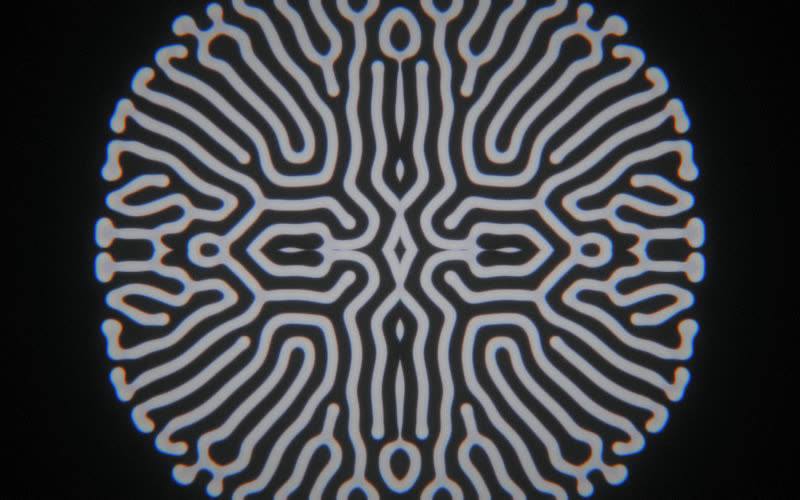
Our tool. A single device that turns the track it sits on into generative, audio-reactive visuals rendered in a browser window on your GPU. A library of scenes, a five-color palette system with 24 palettes built in that can also extract them from your album art, and sixteen assignable macros, so scene changes and intensity rides are drawn into the arrangement like synth automation. macOS and Windows, and it now ships as a VST3 and AU for any DAW alongside the Max for Live device. $29 one-time at photism.app/buy, and photism.app/online runs three scenes free in your browser if you want to hear it react before installing anything.
EboSuite
A suite of devices that brings video into Live: clip playback in the Session view, compositing, effects, and ISF shader support. The mental model is “video as audio clips,” and for performing with video footage inside Live nothing else is this integrated. macOS only. Generative audio-reactive content is possible but takes assembly; the suite’s core strength is video playback.
Vsynth
A modular video synthesizer built on Max/Jitter by Kevin Kripper. Oscillators, mixers, and effects you patch together, so the ceiling is very high and the learning curve matches. Runs inside Max for Live on macOS and Windows. Pick it if patching video synths sounds like fun rather than work.
Videosync
Showsync’s video engine: Live’s Session and Arrangement views control video playback, with the timing accuracy aimed at professional show control. macOS only. Like EboSuite it is a playback and compositing tool first, so it belongs here for completeness, but you bring the content.
External apps that sync to Live
Resolume, Synesthesia, TouchDesigner, VDMX, and Magic Music Visuals run as separate programs. They need audio routed over (a virtual audio device such as BlackHole or VB-Cable), tempo via Ableton Link, and parameter control via MIDI or OSC. The full breakdown is in our guide to adding visuals to Ableton Live, but the summary: highest ceiling, most plumbing, best when a dedicated person runs visuals.
Comparison
| Tool | Type | OS | Best for |
|---|---|---|---|
| Photism | Generative, audio-reactive | macOS, Windows | Visuals from the music itself, zero setup |
| EboSuite | Video playback + compositing | macOS | Performing with video footage inside Live |
| Vsynth | Modular video synthesis | macOS, Windows | Patching your own video instrument |
| Videosync | Show-grade video playback | macOS | Timecode-tight video for produced shows |
| External VJ apps | Everything | varies | A dedicated visuals operator |
How to choose
Ask what the visuals should come from. If the answer is the music, you want a generative device: Photism for immediate results, Vsynth if you want to build the instrument yourself. If the answer is video files you already have, you want EboSuite or Videosync. If the answer is “a VJ will handle it,” skip devices entirely and route audio to their rig.
For the wider field beyond Ableton, our software map plots every visuals program worth knowing, from MilkDrop to TouchDesigner, by setup effort against visual ceiling.